

Back to Blog

SmartHub Tips – How to sign up for text or email outage alerts

FROM YOUR DESKTOP COMPUTER:

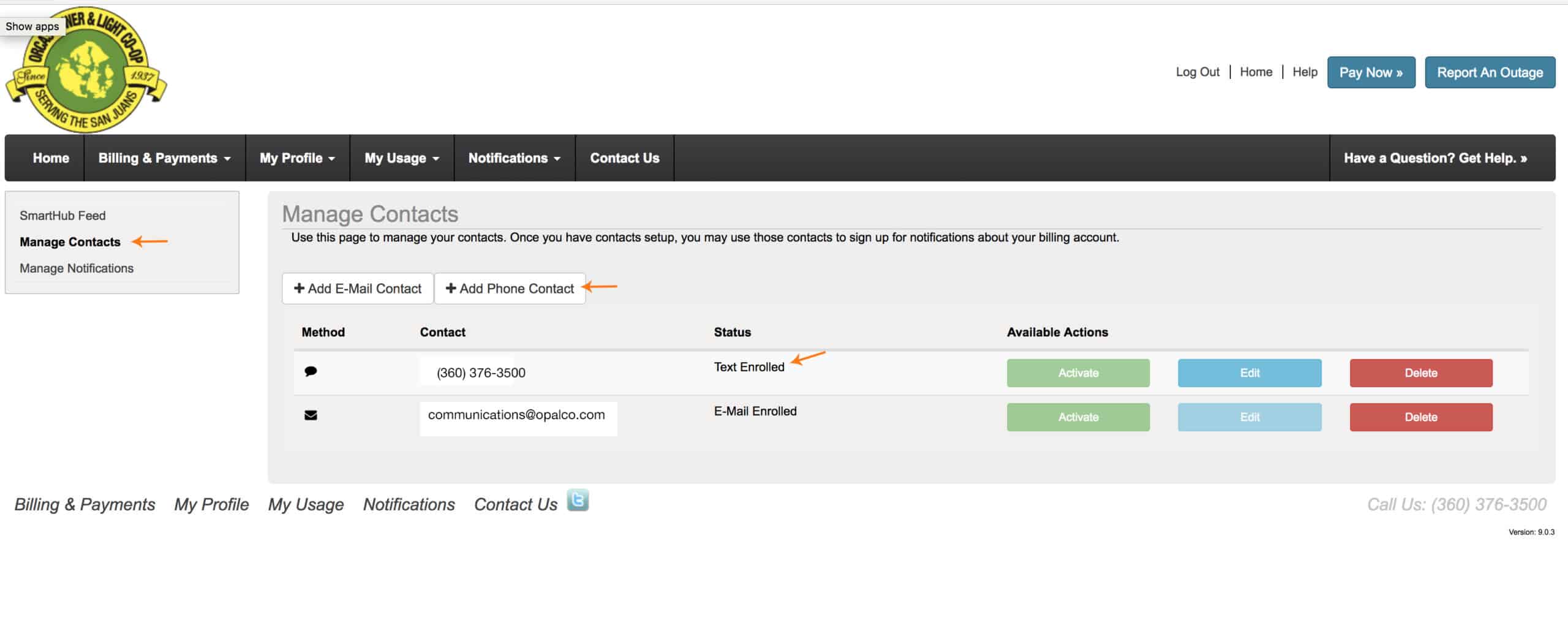
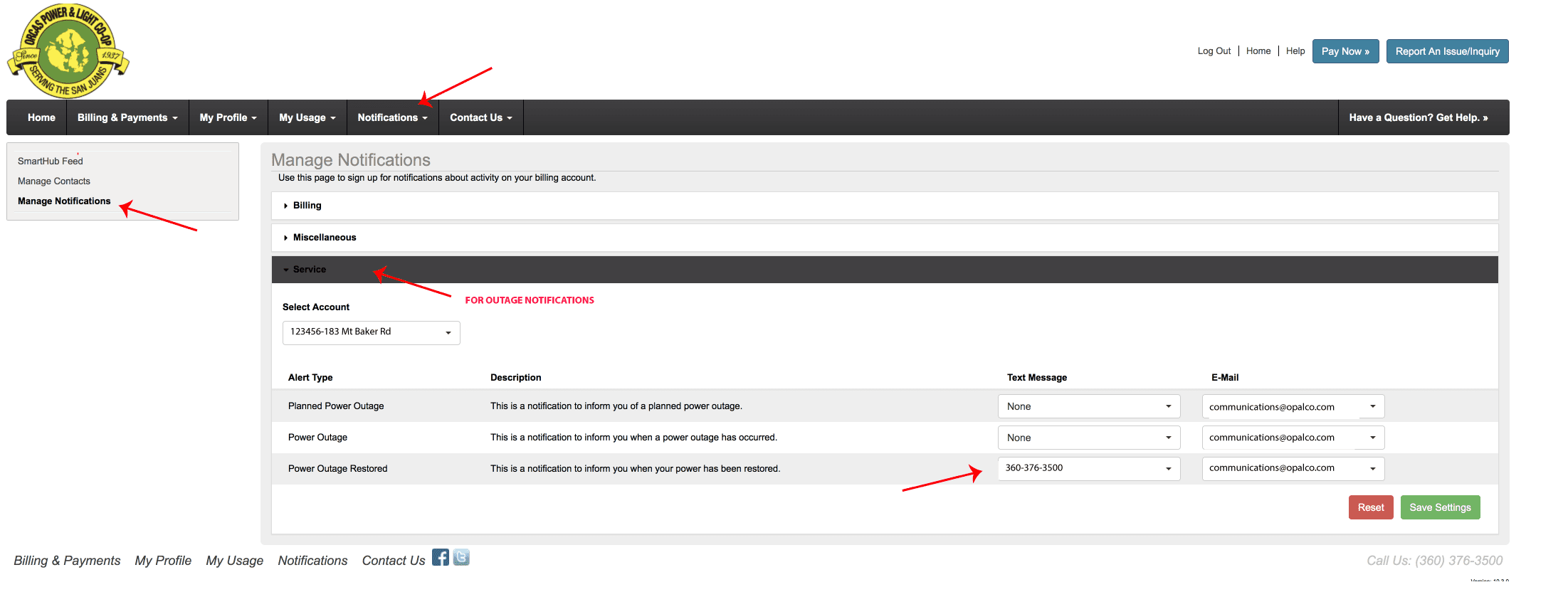
To sign up for text messages to alert you of an outage at your meter. Login to your SmartHub account. Go to Notifications.  Then go to Manage Contacts.  Enter your cell phone number and agree to terms and conditions.  THEN:   Go to the Notifications Tab, Manage Notifications and insert how you would like to be notified during an outage.
Watch this video on how to set this up on your iPhone. 

You may also like...

power lines

Easements Keep the Co-op Running

OPALCO does not comment on active legal matters, but some misinformation in a recent King 5 article needs to be addressed. The pole site in question was on the property … Read more
san juan county candidates

Co-ops Vote! Find out more about San Juan County Council 2026 Candidates

District 3 2026 Candidates Katherine Bryant Ingman What is your overall vision for San Juan County’s energy future over the next 20 years, and where do you draw the line … Read more
pepper outage

Pepper’s Outage Tips

When the lights go out, things can feel a little scary! But your resident outage expert — me, Pepper! — is here to give you my best tips and tricks … Read more