

Back to Blog

SmartHub Tips – How to sign up for text or email outage alerts

FROM YOUR DESKTOP COMPUTER:

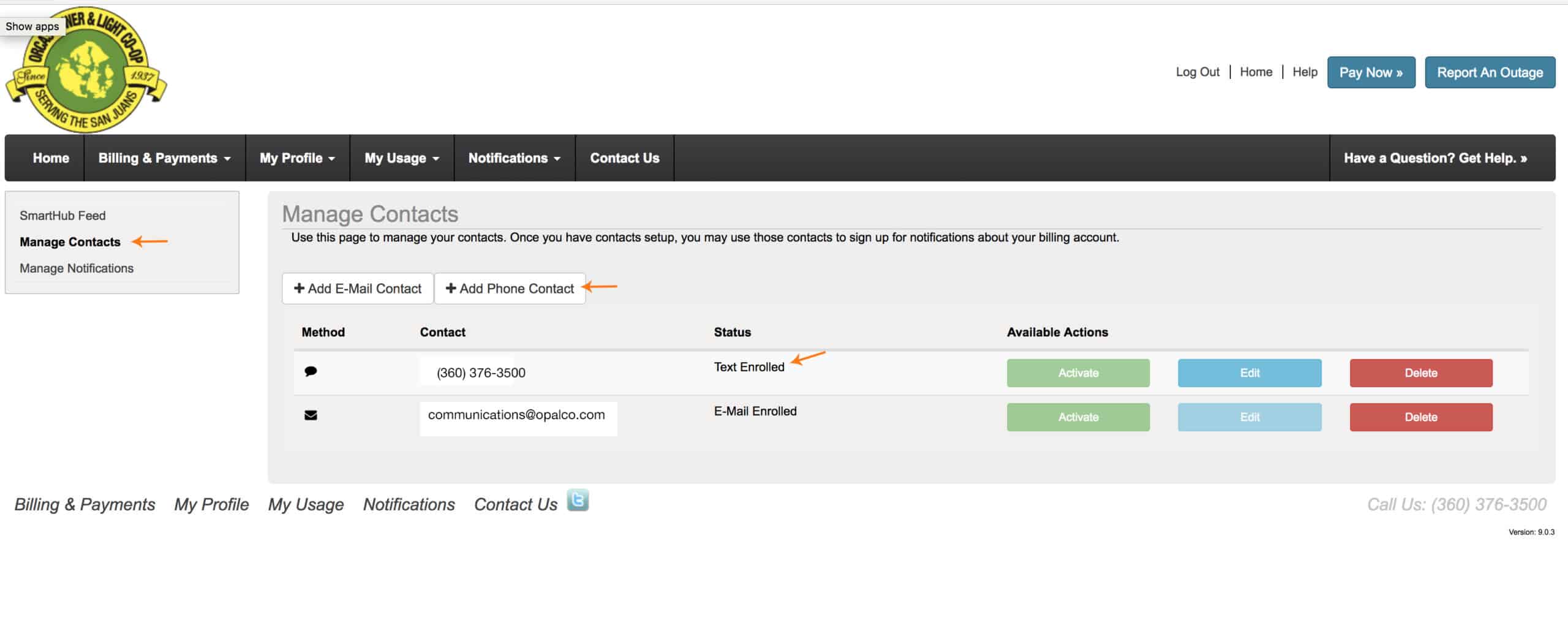
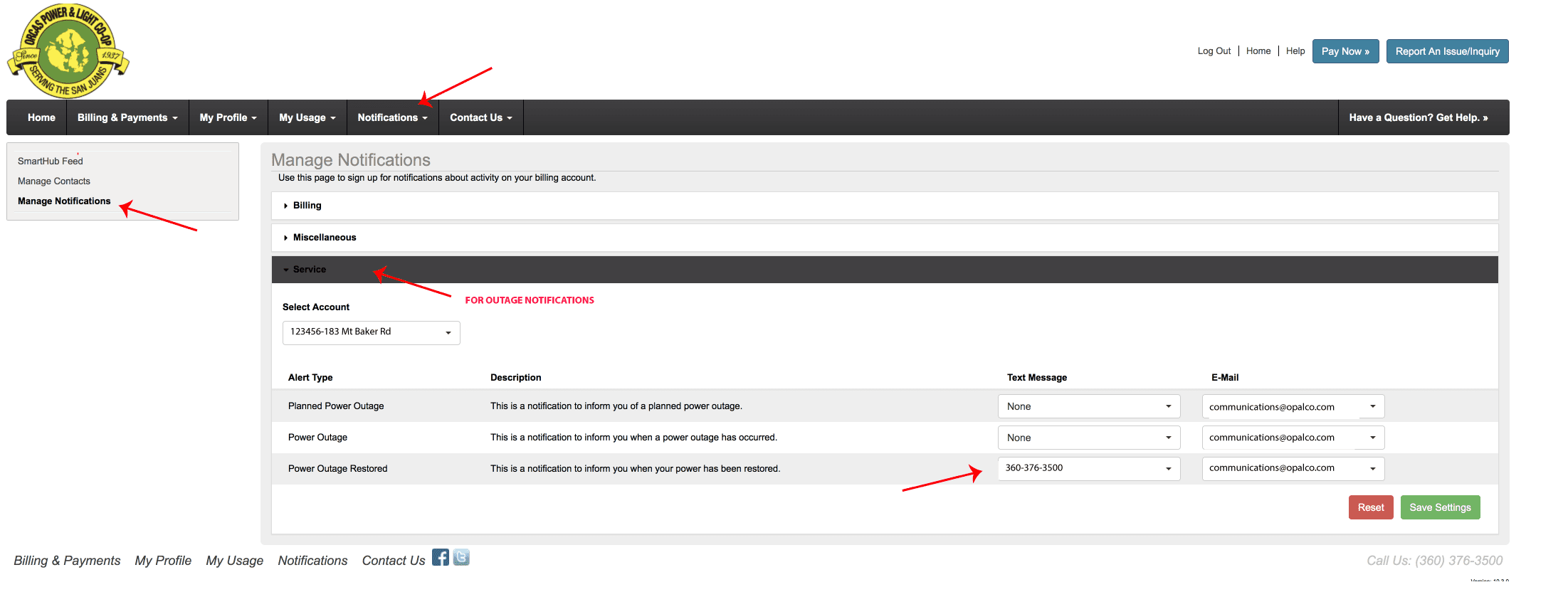
To sign up for text messages to alert you of an outage at your meter. Login to your SmartHub account. Go to Notifications.  Then go to Manage Contacts.  Enter your cell phone number and agree to terms and conditions.  THEN:   Go to the Notifications Tab, Manage Notifications and insert how you would like to be notified during an outage.
Watch this video on how to set this up on your iPhone. 

You may also like...

Brian Silverstein, Orcas Power & Light Cooperative board member and former Bonneville Power Administration senior vice president of transmission, holds a copy of a newly signed BPA contract.

Securing Power for the Islands

OPALCO signs a new contract with Bonneville Power Administration Orcas Power & Light Cooperative recently joined 130 other Northwest public utilities in signing new 16-year electric power contracts with Bonneville … Read more
OPALCO crew holding a tailgater safety meeting on site before a job.

OPALCO Takes Safety Seriously

Commitment to employee-driven safety program protects lineworkers Since 2014, Orcas Power & Light Cooperative has participated in the National Rural Electric Cooperative Association’s rural electrical safety achievement program. OPALCO’s safety … Read more

Quick Fact: OPALCO General Manager / CEO Compensation

General Manager compensation is determined by OPALCO’s Board of Directors through a structured, documented process. Each year, the Board conducts a formal written performance evaluation based on the Board’s Strategic … Read more